§ FormsDocument · REG-FORM-2026.06

Your forms already exist. Teach them to the system once.

Upload a PDF or define a form. The platform suggests how every field maps to your case data — you confirm. From then on, the same form captures intake, fills generated documents, and pushes to systems of record. One mapping engine, three jobs.

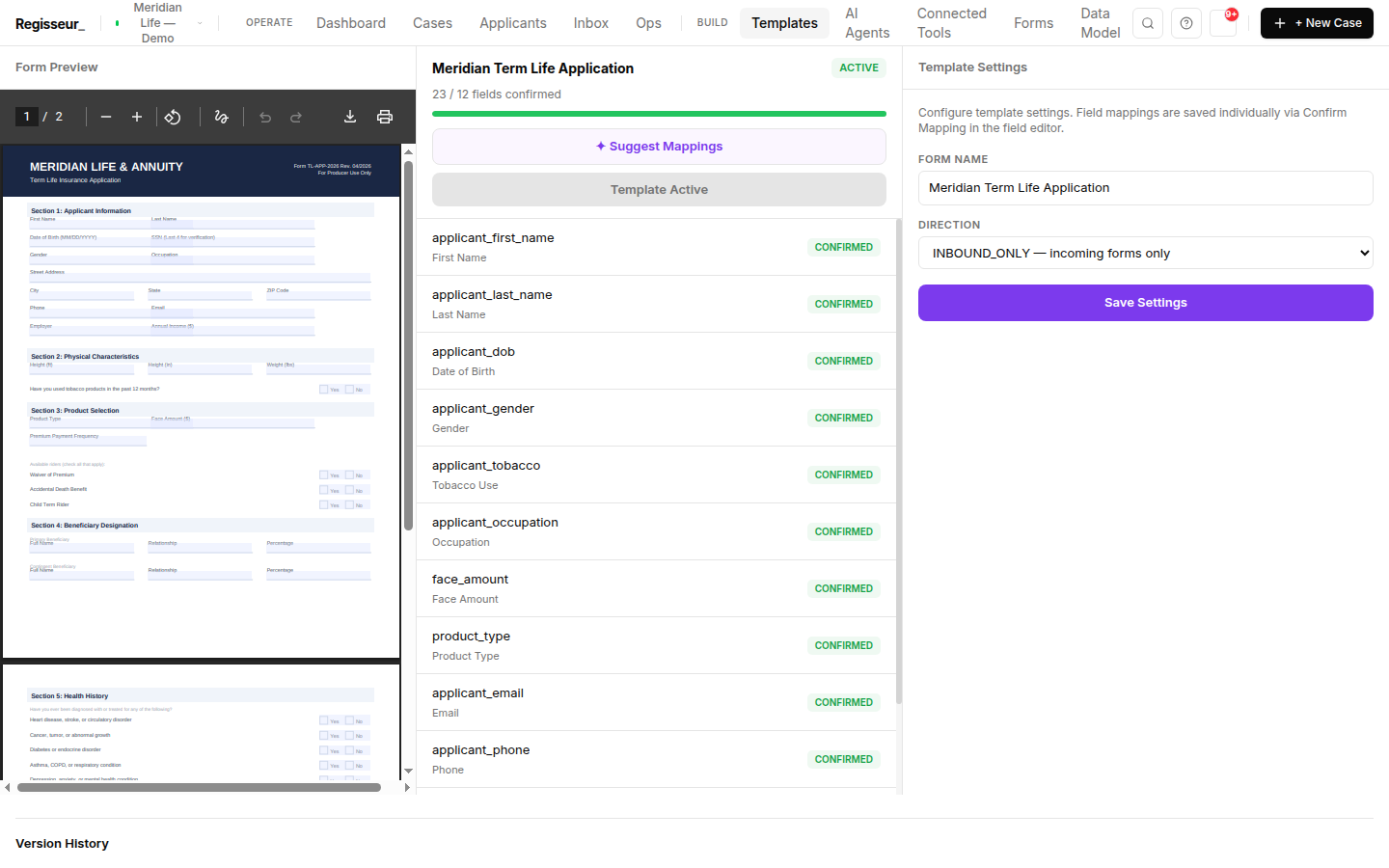
The field-mapping screen — a PDF preview of the Meridian term-life application beside twelve confirmed field-to-attribute mappings, a confirmed-fields progress bar, and a Suggest Mappings button.
AI-suggested, human-confirmed12 confirmed field→attribute mappings on the term-life application
§ 01AI-assisted mapping

AI-assisted field mapping, human-confirmed.

Upload a form and the platform reads its fields and proposes which case-data path each one maps to (case.applicant.full_name, case.policy.coverage_amount, …). Suggestions are staged for your review — the AI never writes a mapping directly. You confirm, adjust, and save.
§ 02Canonical store

One canonical store.

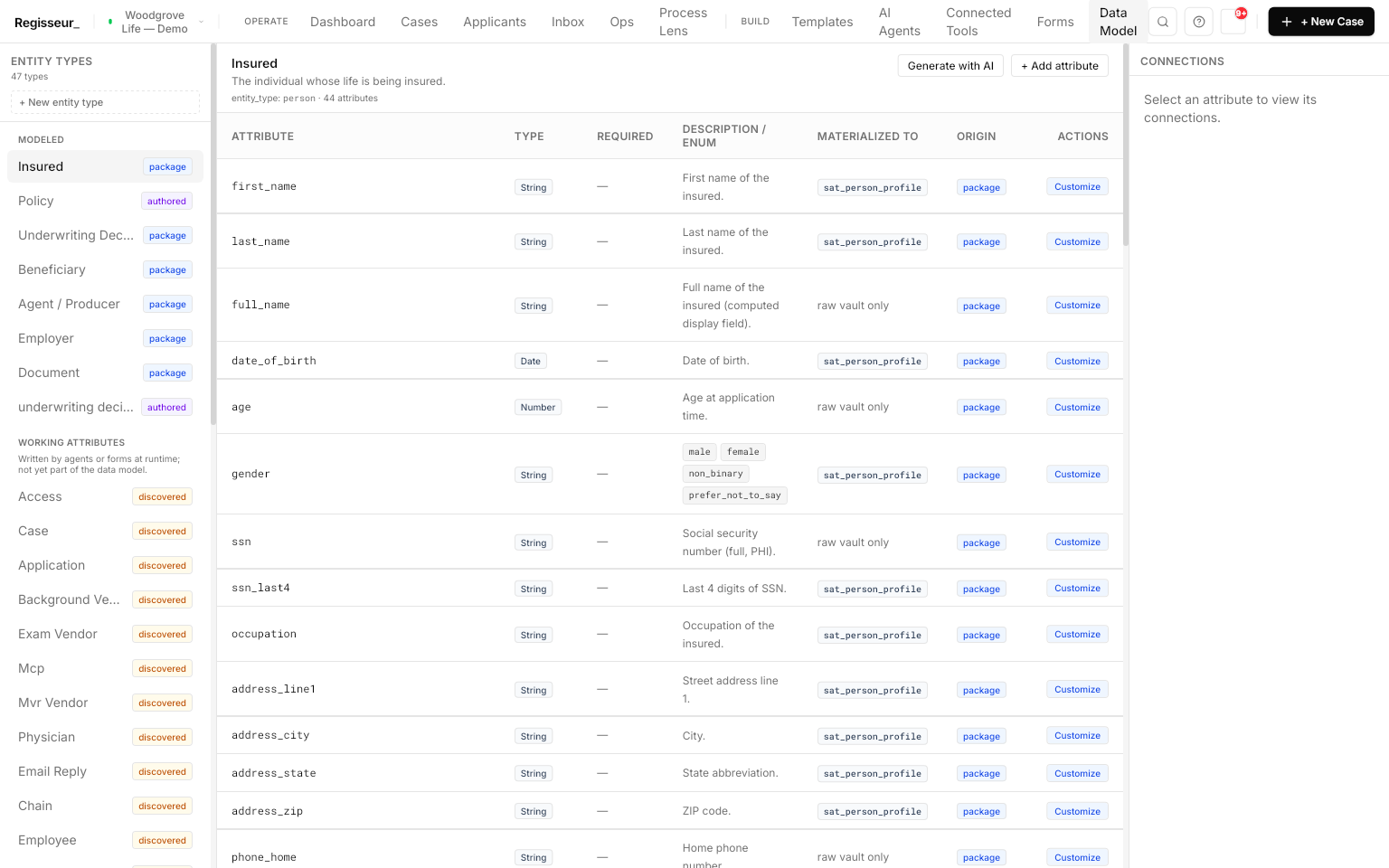
Every case keeps its structured data in one place, addressed by a stable path. Map a field once and the value captured at step 1 shows up correctly at step 12 — across forms, agents, documents, and views.

They all read and write the same canonical store. No shadow copies to drift apart.

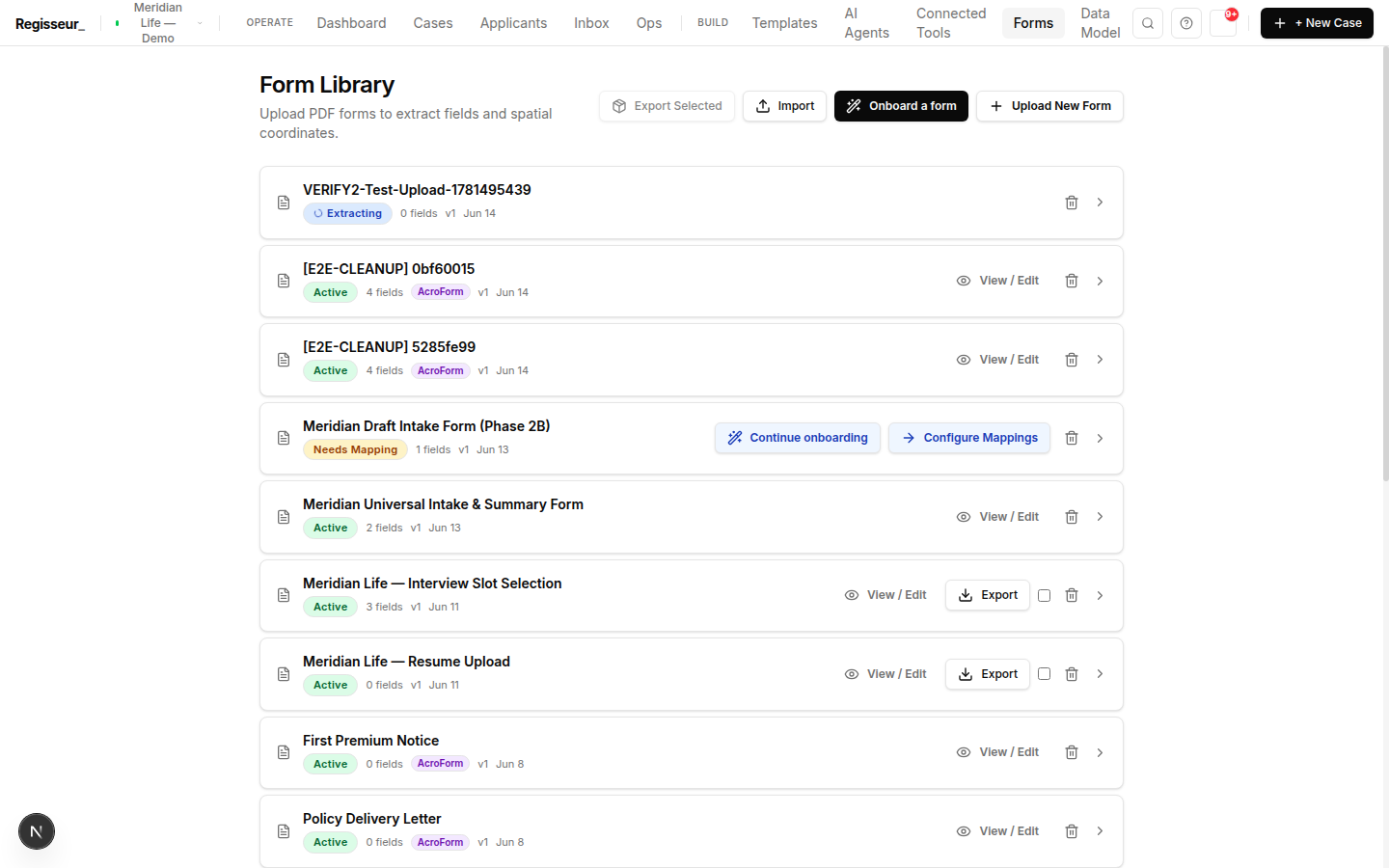
The form library — term-life application, lab results, and APS request letter, each with its field count, type, and mapping status.
The form libraryEach form's fields, type, and mapping status
§ 03One engine

Capture, fill, push — the same engine.

The mapping is bidirectional. Field mapping is one engine; PDF fill and API push are output modes of it — not three separate integrations to maintain.

Capture
Form fields → case data
Fill
Case data → AcroForm PDF
Push
Case data → external API
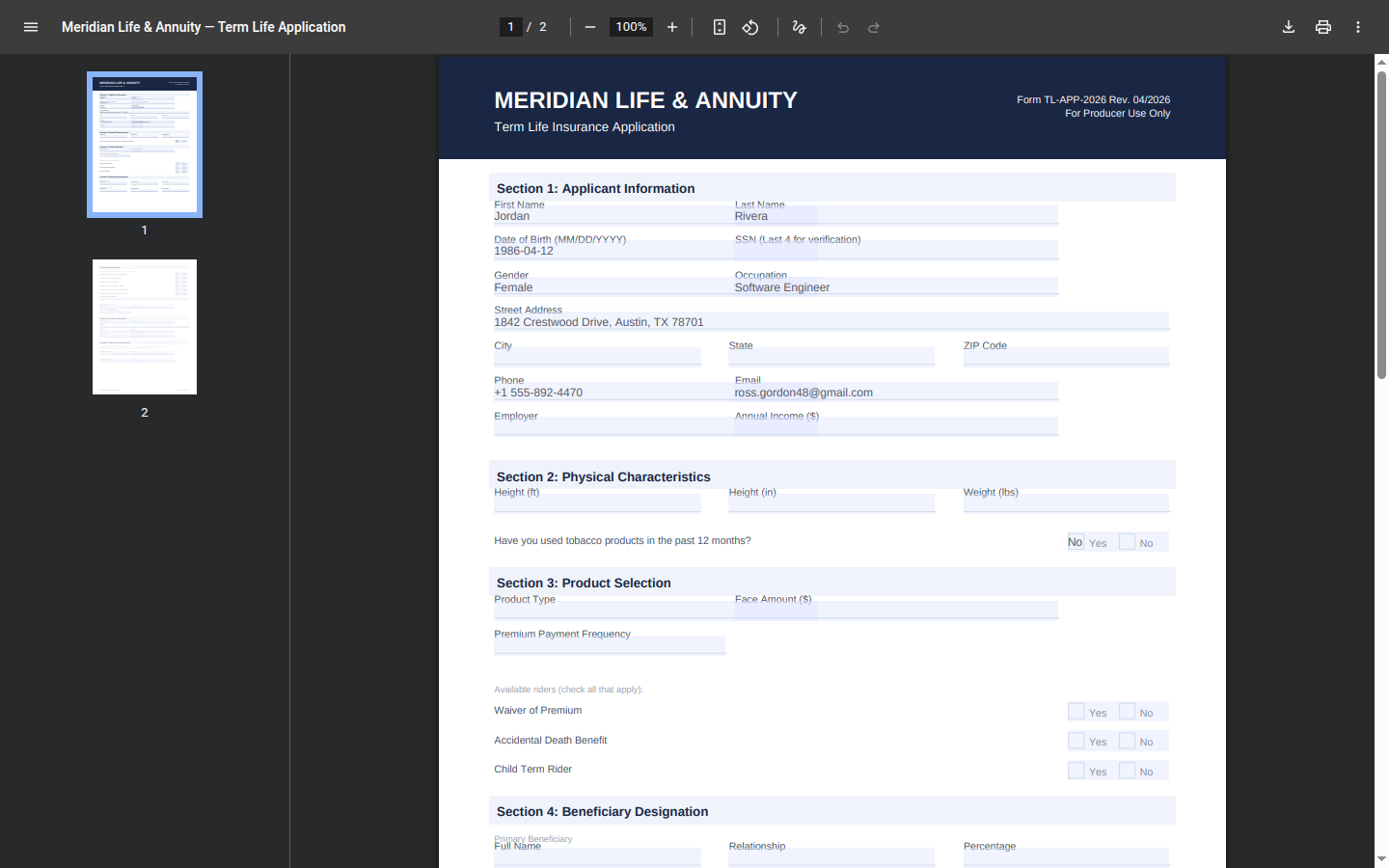
The term-life application PDF filled from Jordan Rivera's case data — date of birth, occupation, and address populated automatically.
Filled from case dataThe same form populated from a case
§ Next step

Onboard one of your forms and watch it capture, fill, and push.

Bring a PDF you fill by hand today. We'll map it, capture a case through it, and generate the filled document back out — one engine, start to finish.

Book a walkthrough From a document to a case