§ For operations leadersDocument · REG-OPSLEAD-2026.07

Case volume goes up. Headcount stays flat. Nothing happens off the record.

What changes for your team, your throughput, and your cost per case — in plain terms. Every step is scripted and checkable, so more work runs without more people and without anything slipping past a human who should have seen it.

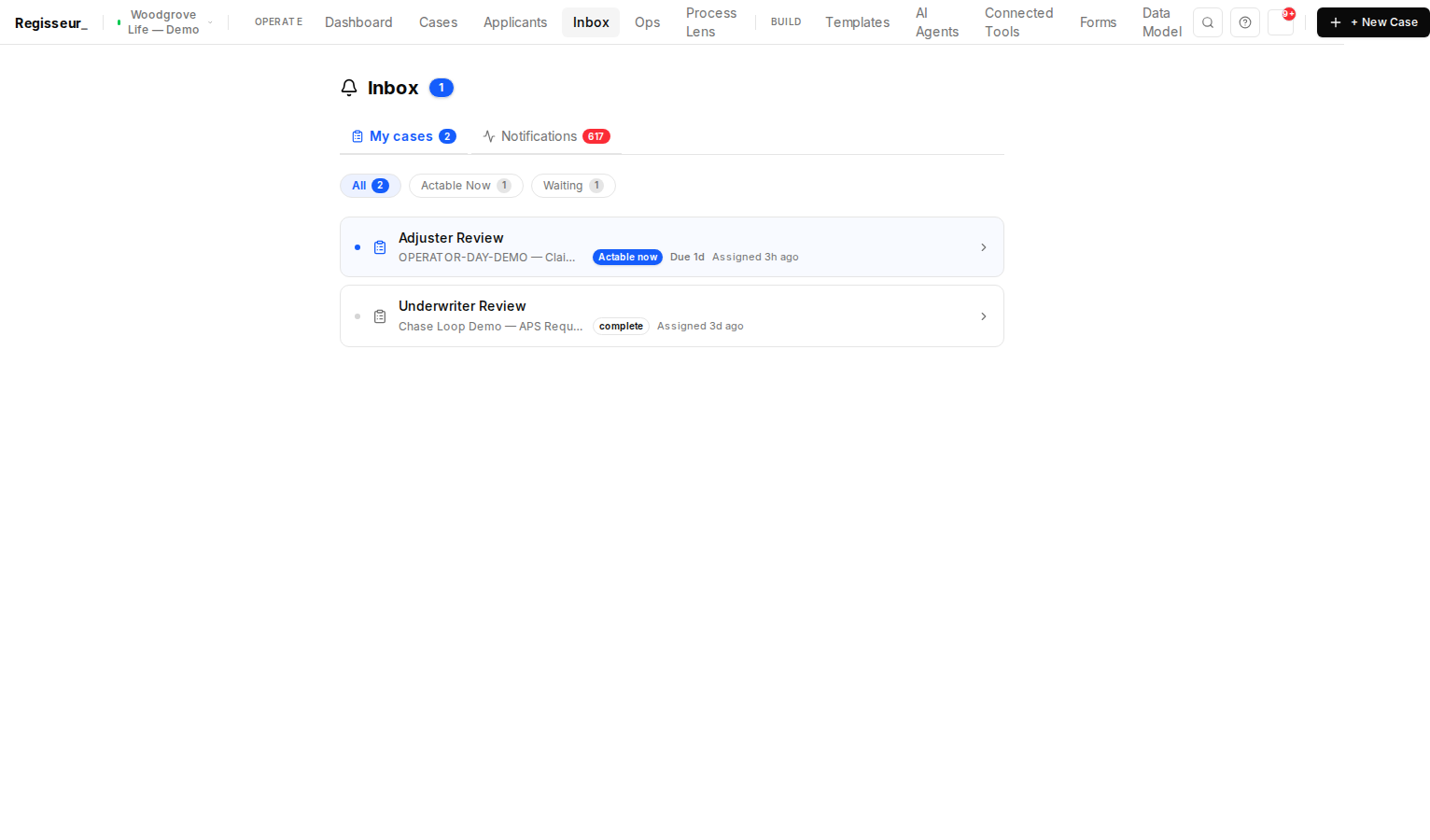
The My Work queue — an operator’s tasks in one worklist, one actionable now and one complete.
One worklistEveryone’s work in one queue — act on it and the case advances
§ 01The command center

One queue, not eleven tabs.

Your team works from a single worklist. Acting on a task is the trigger — approve or complete it and the case advances on its own, with no separate “continue” step. A morning digest lands in the inbox with exactly what needs a human today.

Every task runs against a time budget, and an escalation ladder moves work up before it breaches — so nothing quietly rots in someone’s queue.

One queue
My Work · Needs Review · Overdue
Morning digest
What needs a human today
Time budgets
Per-task clocks + escalation
Inline actions
Approve / complete in place
§ 02Approvals

Approvals where your people already are.

A manager can move a case forward by replying APPROVE from their email inbox or from Microsoft Teams — no new app to open, no password to remember. The reply is parsed, checked against the assignee’s own identity and role, and only then does the process advance.

Every reply is on the record, attributed to a person and a moment. Email and Teams are live today; WhatsApp replies are configurable per workspace.

Email
Reply to advance — live
Microsoft Teams
Linked identity — live
WhatsApp
Configurable per workspace
Every reply
Identity-checked + audited
§ 03Process analytics

Find the bottleneck. Prove the improvement.

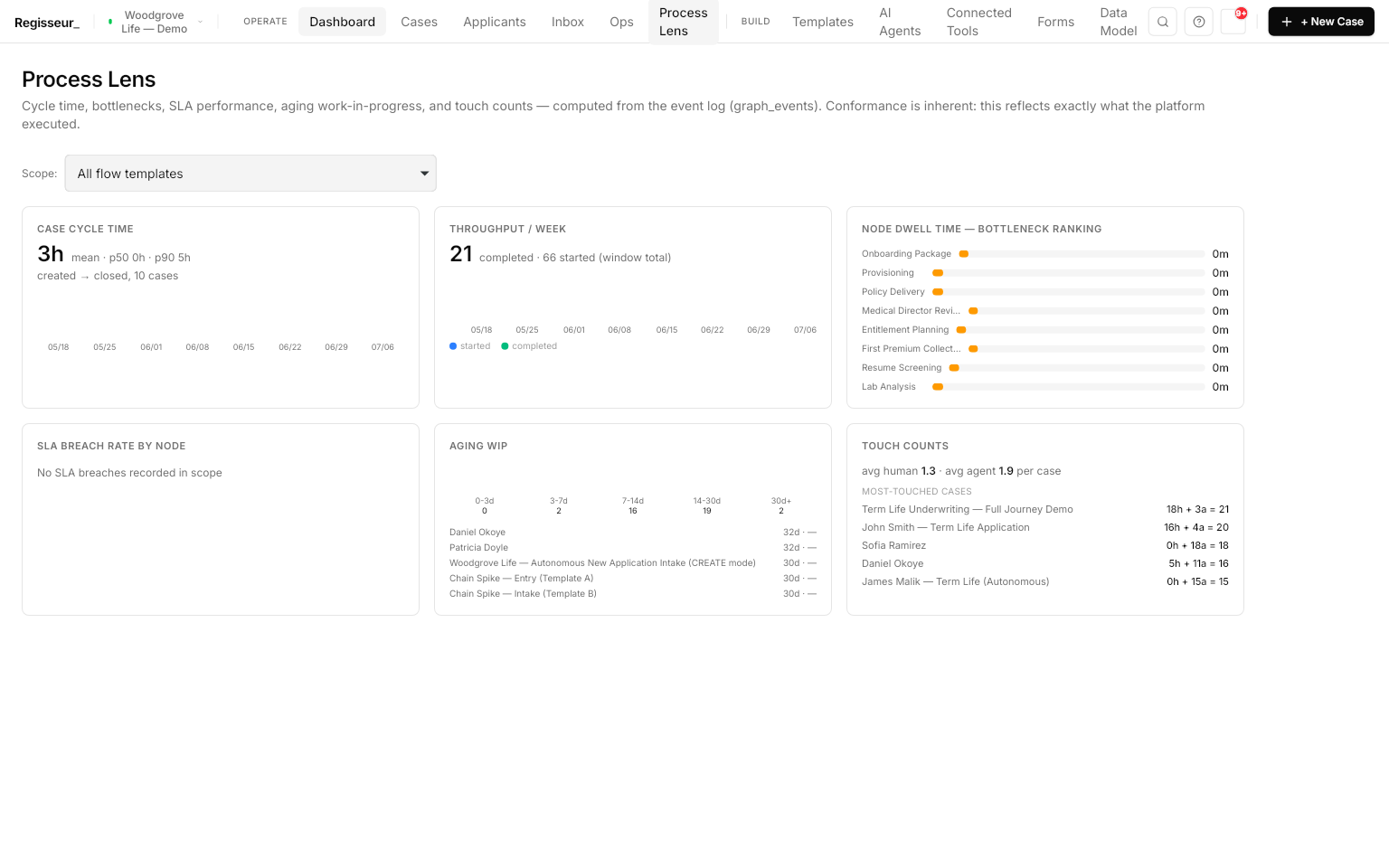
Every process keeps a funnel: how many cases enter each step, how long they dwell, and where they stall — a per-step cycle-time and bottleneck view, alongside SLA-breach and aging-work counts.

It’s computed from the same record that runs the work, not a separate tracking layer you have to feed and reconcile. The audit trail isn’t just for compliance — it’s your process X-ray.

Funnel
Entries + dwell per step
Bottlenecks
Where cases wait
Aging work
SLA breach + WIP
Source
The audit record itself
§ 04Cost

Cost per case, in the open.

Per-case AI spend shows up on the dashboard — cost per case, top outliers, and the weekly trend, priced from real executions — with budget alerts before you overspend.

Two things are structurally different here: you bring your own AI provider keys, so that spend is your bill at your negotiated rates, with no markup; and your data never detours through us to get there.

Per-case spend
On the dashboard
Budget alerts
Before you overspend
Your keys
Your rates, no markup
Your data
No detour through us
§ 05 — See it run

Two real runs, front to back.

Demo · A day running the operation

What the humans see

The My Work queue, inline approve and complete, the morning digest, SLA budgets and escalation, and per-case cost on the dashboard.

Read the full report
Demo · Three processes, one person

Work that moves itself

One hiring event carries a candidate across hire, onboarding, and access — with a manager approving a gate by reply, and the next process unblocking on screen.

Read the full report

All companies, people, and cases shown are fictional. Every screenshot is unedited output from a real run — nothing is staged or mocked up. See all operations

§ Next step

See your queue, your approvals, and your cost per case — on your process.

Bring one process and its review gates. In 45 minutes we'll route real tasks to the right people, approve from an inbox, surface the bottleneck, and show cost per case from real executions.

Book the 45-minute walkthrough For platform & security teams